Why do I see a red alert button? What are admin alerts?
Periodically AV will push alerts for you the election administrator to read. These alerts may pertain to:
- System availability or scheduled maintenance
- Feature changes or updates in the software
- Technical issue on our end we wish to notify you about as it may impact your service in some way
- Tips for better managing your election
If there are alerts you have missed, the Admin Alert Button (top righthand side of the portal) will be lit up RED and contain a # of missed alerts (A.) The most recent unread alerts will be displayed on the Admin Dashboard (B.).
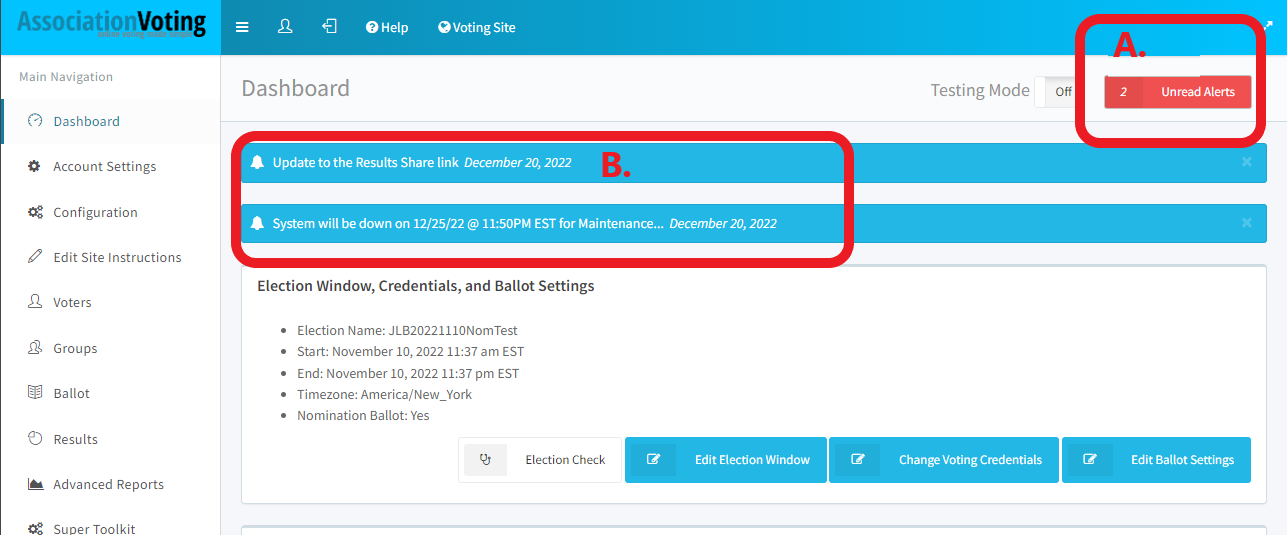
Simply tap the red alert button (A.) to see a list of the alerts. If the button is white, then you have NO unread alerts.
To get rid of all of the alerts either click on them individually and then click Mark as Read (C.) or you can click on the Mark all as read button (D.)
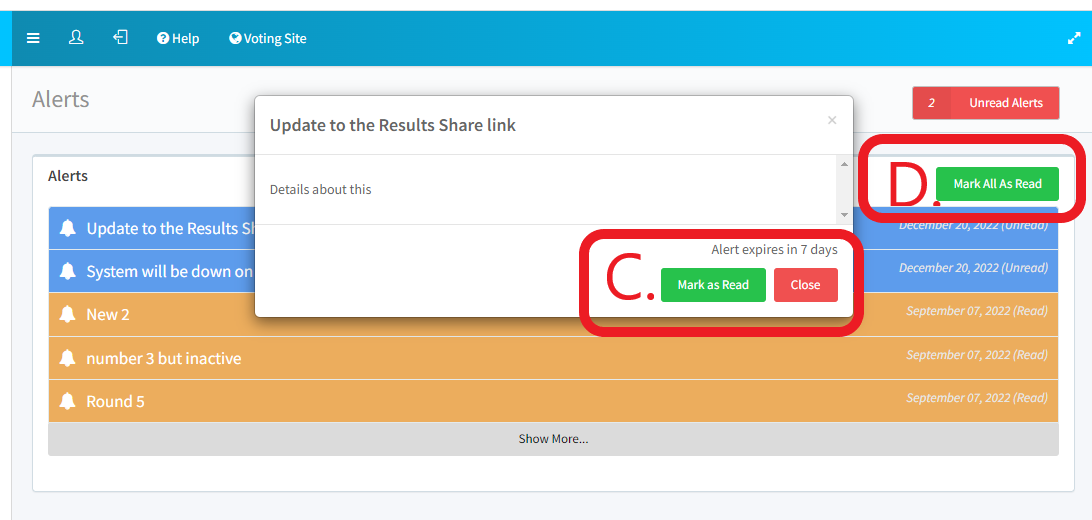
This alert inbox itself will not impact your election management process or your election.