How to Manage Your Annual Subscription
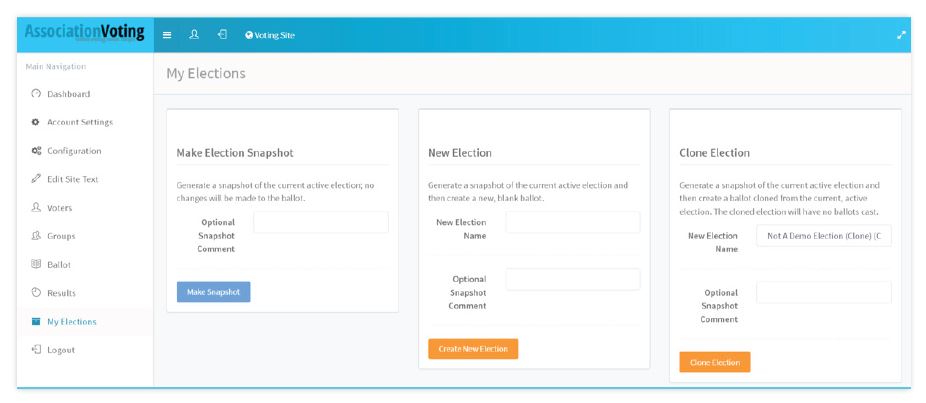
From here, a user will have 3 options:
Option 1: Election Snapshot - Archive your election results and voting record for review at a later date.
Option 2: New Election - Archive your current election results and voting record for review at a later date. Then create a clean election site for election creation.
Option 3: Clone Election - Archive your current election results and voting record for review at a later date. Then create a clone of the current election ballot for the creation of a new election. None of the voting results (votes) will be included in the cloned new election. All of the voters and ballot elements will be available in the new election.
One you have chosen any of these options, your election will appear in the Elections Snapshots list at the bottom of the MY ELECTIONS screen.