How Do I Resend a Voter’s Login Credentials?
The best way to send credentials to an individual voter whose email is in your voter database is to use the automated credential retrieval.
Here's what to do:
- Go to your voting site (where the voters sign in).
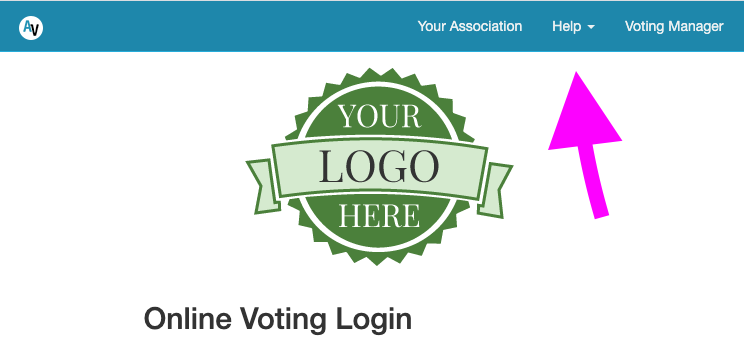
- Tap the "HELP" link in the navigation header. (Screenshot below)
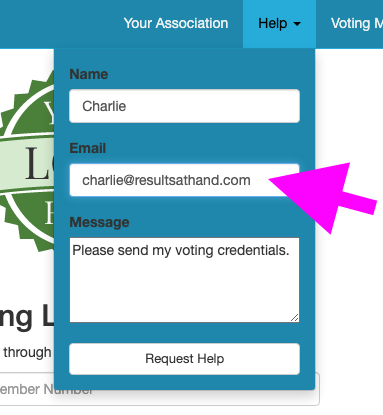
- Enter the voter's email address and submit the help form. (Screenshot below)
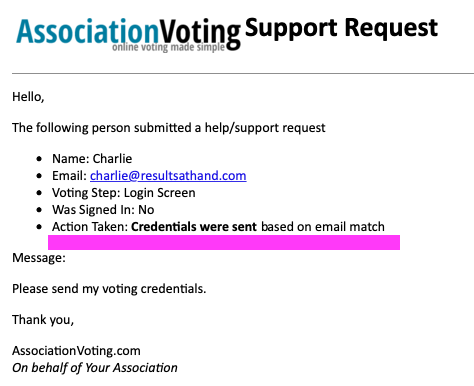
- If you receive the support emails from your election site, you should receive two emails on a successful match: one with the help message - indicating that the credentials have been sent - and another that is the credential email to the voter that CCs you. (Screenshots below)
- You may also want to forward the message that you were CCed on to the voter from your own email address as a belt-and-suspenders approach to ensure they get it.
Screenshot for Pt 2: Identifying the Help Link
Screenshot for Pt 3: Entering the Voter's Email Address
Screenshot for Pt 4 #1: Email to Voter Admin with highlight indicating that credentials were sent
Screenshot for Pt 4 #2: Email to Voter that CCs Voter Admin
