How Can I Rename or Change Login Fields for My Voters?
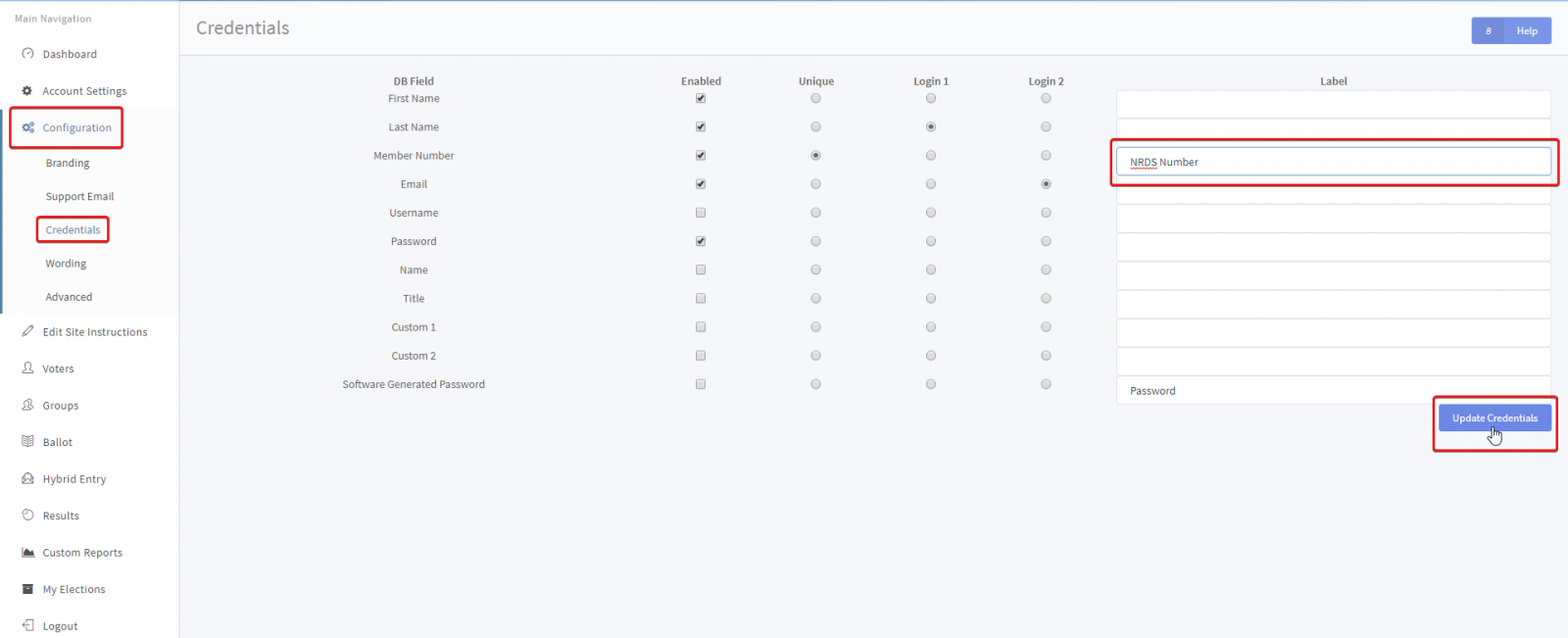
Login fields can be found under CONFIGURATION > CREDENTIALS from the side navigation.
AssociationVoting uses 2 credential login to identify and authenticate the voter during login. Whatever is set as Login 1 and Login 2 will be the login fields for the voter. To the right is a label field. If you wish to rename a field, such as changing the wording of ‘Member Number’ to ‘NRDS Number’, type that into the ‘Label’ field.
Remember to click ‘Update Credentials’ to save your work when finished.