Adding an Empowerment Question to Your Ballot
When a member selects a proxy to vote on their behalf, it’s
important to confirm whether that proxy is empowered to vote on all other
business matters at an Annual Meeting that may come up, and not just the
specific election. This empowerment question helps ensure members understand
exactly what authority they’re giving their proxy! This question will appear
immediately after the member selects a proxy.
To add the empowerment question, please follow these steps:
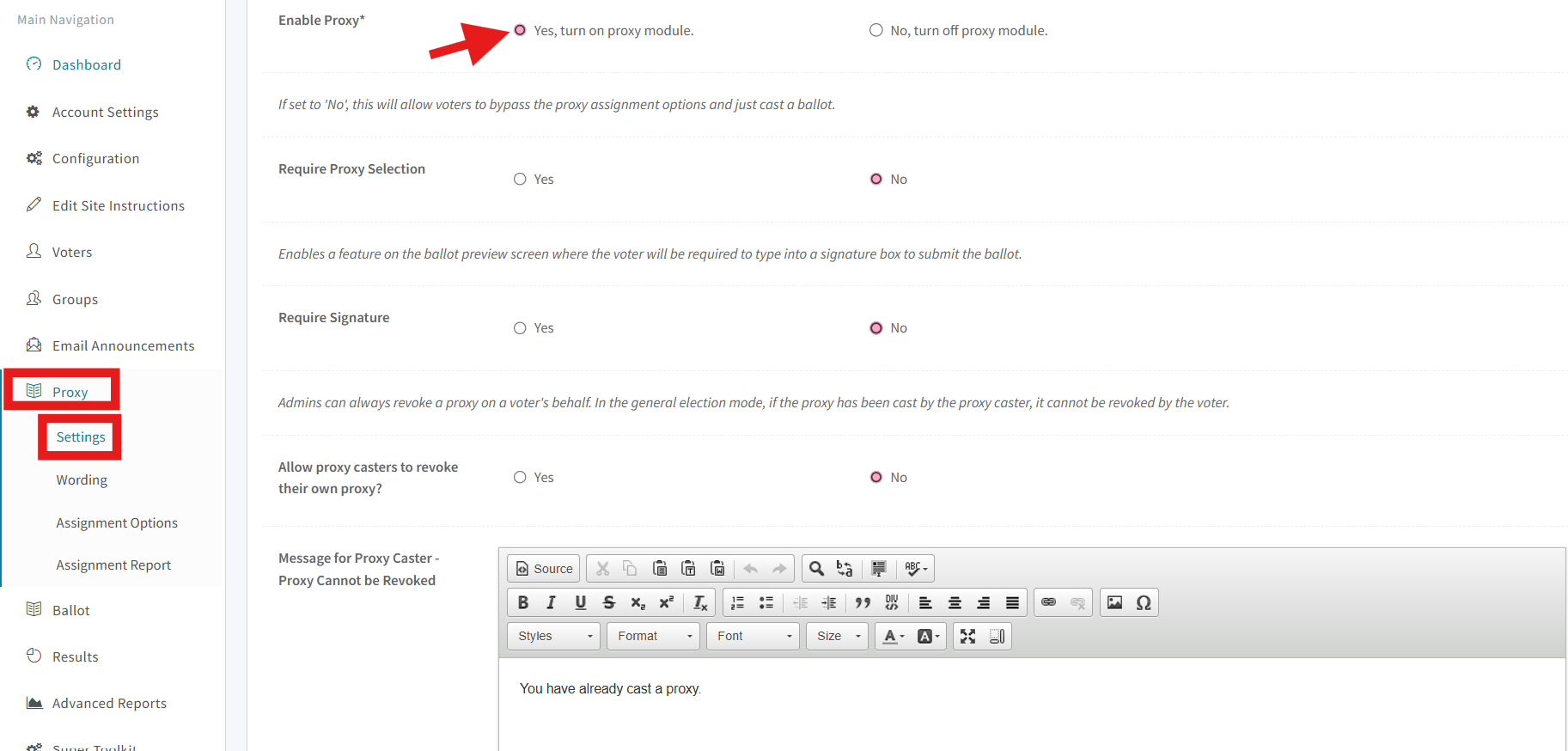
1. Go to Proxy > Setting
2. Set Enable Proxy to YES
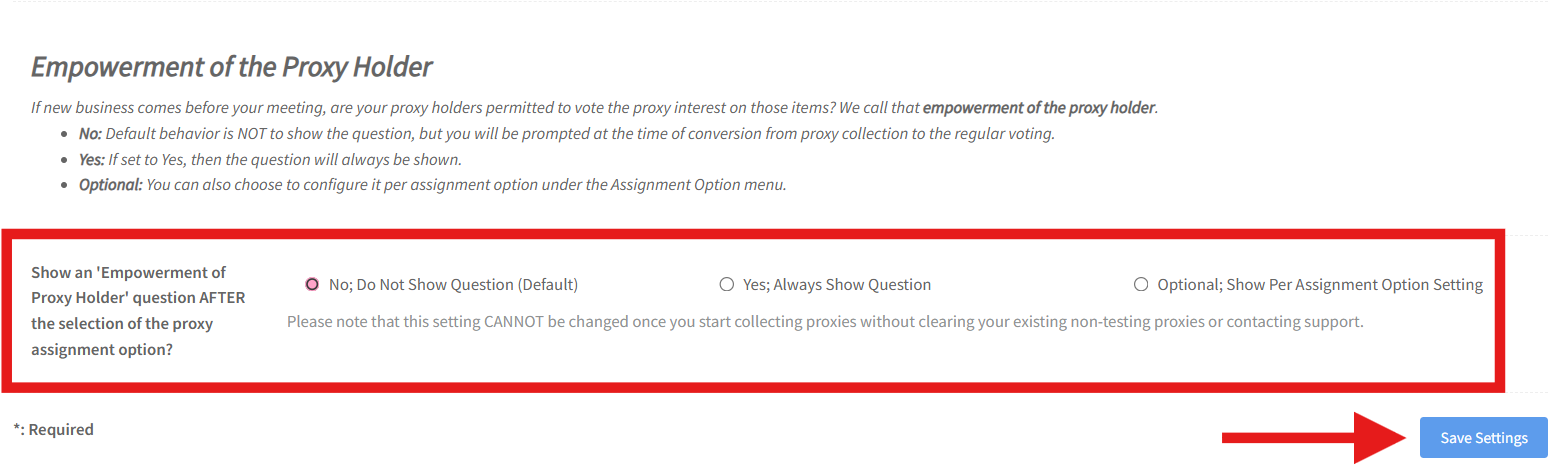
3. Choose one of the following options under “Empowerment
of the Proxy Holder”
- No, Do Not Show Question (Default)
- Yes, Always Show Question
- Optional, Show Per Assignment Option Setting (You
can choose to configure it per assignment option under the Assignment Option
menu.)
4. Save your setting
Warning: Once your proxy
collection site opens, you CANNOT change this setting.
If you want
to add the empowerment question to be per assignment option, select “Optional; Show
Per Assignment Option Setting”.
Then go to
Proxy > Assignment Options and select the blue edit button on the option you
would like to add the empowerment question to.
From there,
you can make your choice.
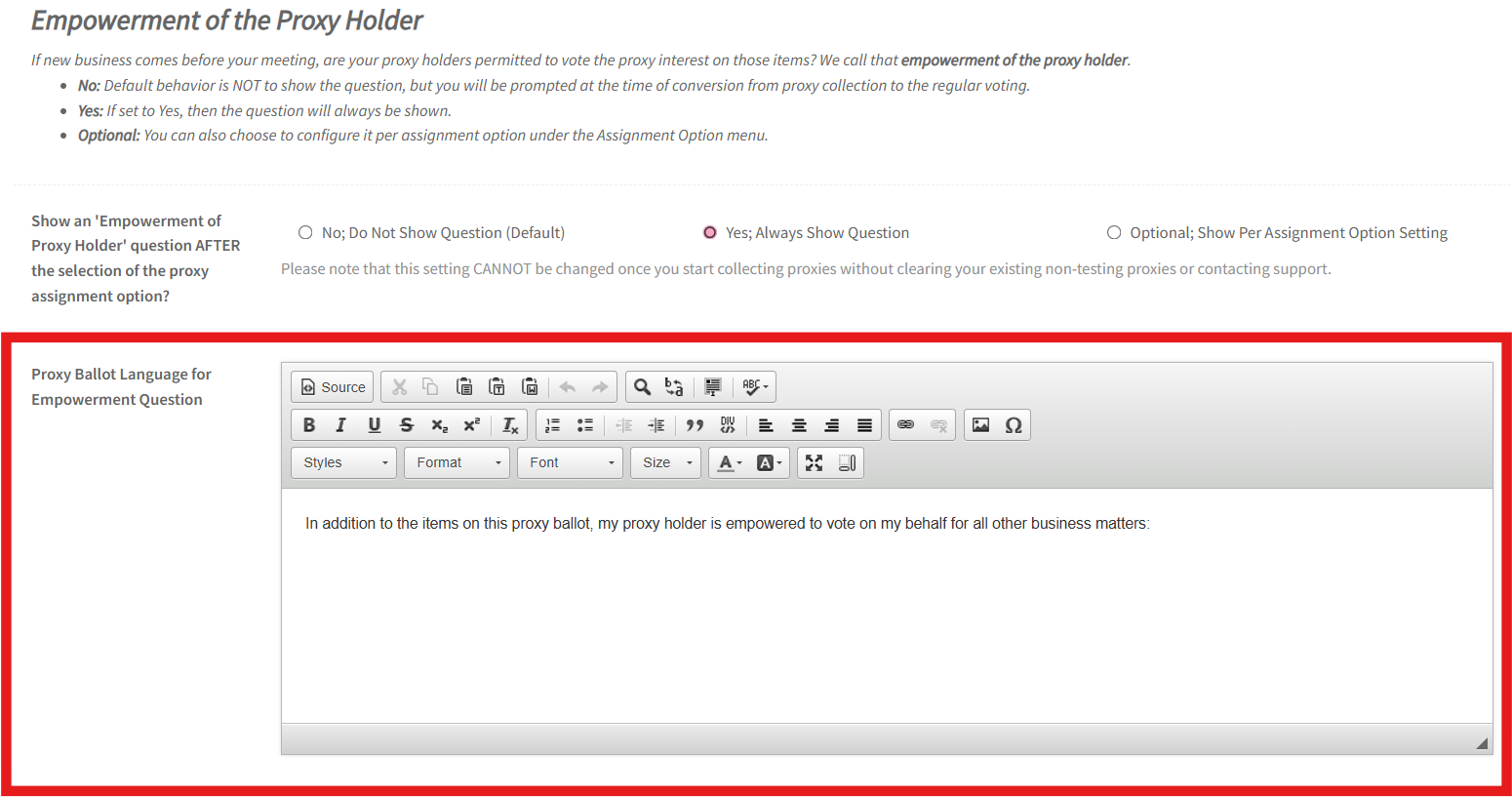
Default language used for the empowerment question:
"In addition to the items on this proxy ballot, my proxy holder is empowered to vote on my behalf for all other business matters:"
That language can be changed in the "Proxy Ballot Language for Empowerment Question" section after selecting "Yes; Always Show Question" or "Optional; Show Per Assignment Option Setting".
Adding the empowerment question makes sure members give
clear, informed consent about their proxy’s authority, covering votes on
motions, bylaw changes, or other business during the meeting.